Icon iDo is a dedicated USB digital-to-analog converter/headphone amplifier for iPods, iPhones, and iPads. The little desktop component extracts digital audio data from those devices in "USB Host" mode, which means it cannot be used as a USB/DAC with computers.
What it is
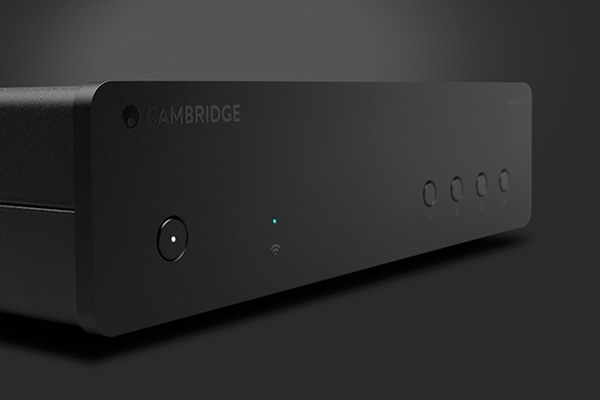
The iDo is a cute little thing -- just 6" x 4.5" x 1" -- and it shares its all-metal chassis with NuForce's other Icon desktop amplifiers and DACs. Setup is super-easy, connect any Apple mobile device to the Icon iDo with the included 30-pin sync/charging cable, plug the wall-wart power supply into the iDo, and you're good to go. If space on your desktop is tight orient the iDo vertically (it comes with a secure stand for that purpose), or lay it down. The iDo is available in black, white, blue, or red. It's $249.
Start making sense
I have to admit I didn't quite understand the logic of making an AC powered device for iPods, iPhones or iPads, so I asked NuForce's Jason Lim about the iDo's raison d'ĂȘtre. He explained it was designed for people who bring their Apple devices to work and want the best possible sound, but don't have access to music on their computers. If you want a USB DAC for your computer NuForce's Icon HD ($349) is the way to go. Want a portable USB powered headphone DAC/amp? Check out the Icon Mobile ($79).
The iDo's DAC is much the same as the one used in NuForce's uDAC2, but the maximum sample rate is 48-kHz, with up to 24-bit resolution. The amp has a 5 ohm output impedance and drives headphones up to 300-ohms. And yes, iDo recharges your Apple device when it's not playing music.
The connectivity quotient is decent, there's a USB input, and coax digital and RCA analog outputs. Upfront you'll find a volume control, a green digital lock LED, and a blue LED that moves along a long slot to indicate volume level. That's fine, but then I noted that when I changed the volume on my iPod Classic the iDo's volume changed. That didn't make sense, the iDo was hooked up via the iPod's 30-pin digital output, which I always think of as fixed in level. Jason Lim explained that's the way the USB Host system works, he said "The volume is always set to max on Apple mobile devices when it is connected to the iDo. The iDo will accept Apple's remote control to change the volume on Apple devices." Whatever, I used the iDo's volume control for all of my listening tests.
There's a 1/8" mini headphone jack on the front panel, but I wish NuForce had also included a 1/4" jack. The iDo will mostly be used at a desk, and sometimes with full-size headphones terminated with 1/4" plugs. Sure, you can snap on a 1/8" to 1/4" adaptor, but they can be pretty bulky. Why not put 1/8" and 1/4" jacks on the iDo?
I used a bunch of headphones, including my two Audio Technicas, the ATH-WS55 and ATH-M50, B & W P5, BlueAnt Embrace, Sennheiser HD-580, Grado RS-1, Audeze LCD-2 full-size headphones, and Jerry Harvey JH-13, Monster Turbine Gold, and Klipsch S4 in-ear monitors for my testing. My iPod Classic was the only source for the listening tests, and most of the music was encoded in Apple Lossless. Even with the super efficient JH-13 in-ears the iDo was dead quiet, and added absolutely no noise or hiss. The iDo worked its magic with most of the headphones, but it was less terrific with the Audeze LCD-2. There the sound was thin and I felt the iDo was out of its comfort zone. The AT-M50 was the primary headphone for the bulk of my listening time.
On to the listening ...
 |
Company Info
 |
 |
NuForce Inc.
382 South Abbott Ave
Milpitas, CA 95035
salesteam@nuforce.com
(408) 890-6840
|
|
 |
Article Contents
|